Row counters for crochet and knitting: clicker, ring or app?
A crochet row counter does one job: it remembers which row you are on, so your head doesn't have to. There are a lot of them, from a pencil tally to a clicker to an app, and the same counters work as a knitting row counter too. Here is what each kind is good at, where each one lets you down, and how to pick one.
The kinds of row counters
Pen and paper
Tally marks on the pattern, or a sticky note you move down a printed page after each row. It is free, and the sticky note also shows you where you are on the pattern, which most counters don't. The downside is you need a pen in reach every single row, and a page of tally marks gets hard to read.
Stitch markers
Not really a counter, but a lot of people use them as one: clip a marker into the work every 10 rows. When you lose count, you count the markers and only the last few rows by hand. It is cheap and it never runs out of battery. You still have to count.
Barrel counter
A small tube with number dials that slides onto the end of a straight knitting needle. You turn the dial at the end of each row. It is always right there on the needle, which is why knitters like it. It is less handy for crochet, since there is nowhere on a hook to put it, and for circular needles.
Clicker counter
A handheld tally counter: press the button, the number goes up. It is fast and you can do it without looking. Many only count up, though, so a stray press in your project bag is hard to take back, and it is easy to click twice.
Ring counter
A ring with number dials that you wear on a finger and turn with your thumb. It stays on your hand, so it can't get lost in the couch. The numbers are small, it can get bumped, and it has to fit your finger.
Digital counter
An electronic counter with plus and minus buttons, and on some, a separate stitch count. Easy to correct, but it runs on a battery and is one more thing to keep track of.
Row counter apps
Your phone is already next to you, so an app is a counter you always have with you. Many let you keep several projects with their own counts, and some keep the screen on while you work. The downsides are the phone itself: it locks, it needs a free hand, and notifications pull you away.
Crochet row counters compared
| Counter | Good at | Watch out for |
|---|---|---|
| Pen and paper | Free, shows your place on the page | Needs a pen every row |
| Stitch markers | Recounting fast | Still counting by hand |
| Barrel counter | Lives on a straight knitting needle | Not for hooks or circulars |
| Clicker | Fast, works without looking | Stray clicks, often no minus |
| Ring counter | Always on your hand | Small numbers, gets bumped |
| Digital counter | Plus and minus, some count stitches | Batteries |
| App | Several projects, already in your pocket | Screen locks, needs a free hand |
There is one thing almost every counter has in common. It knows a number, not where you are on the pattern. When it says row 23, you still have to find row 23 on the page.
Row counter or stitch counter?
A row counter counts rows. A stitch counter counts stitches inside a row, which helps on a long foundation chain or a big round where you can't eyeball 120 stitches. Some counters, digital ones and some apps, keep both numbers at once. If yours doesn't, a stitch marker every 10 or 20 stitches does the same job.
Which row counter should you pick?
- One project at a time from a printed pattern: a clicker or a ring counter is plenty.
- Knitting on straight needles: a barrel counter, so the count lives on the needle.
- Long chains and big rounds: something with a stitch count, or markers.
- Several projects with the patterns on your phone or tablet: an app, so each project keeps its own count.
Frequently asked questions
Is a knitting row counter different from a crochet row counter?
Mostly no. A row is a row, and clickers, ring counters and apps work for both. The barrel counter is the exception, because it is made to sit on a knitting needle.
Can I use my phone as a row counter?
Yes. A row counter app or a counter in your browser works fine. Look for one that keeps the screen on, or that counts from the Lock Screen, so you don't have to unlock your phone every row.
What is a digital row counter?
An electronic counter with buttons and a small screen instead of dials. Most have a minus button, which makes mistakes easy to fix.
Where Rowpin helps
Rowpin is the row counter app i built for crochet and knitting, on iPhone and iPad, and it is made for the gap in that table: it knows where you are on the pattern, not only the number.
You open your own pattern, a PDF, a photo, a scan or a web page, and Rowpin finds the numbered rows on it, right on your device, with no AI. As you tap + after each row, the row you are on is highlighted on your pattern. When the pattern gives a stitch total for the row, Rowpin shows it. Repeats count with your rows too, like "Repeat 3, row 2 of 4". You can count from the Lock Screen or a Home Screen widget without unlocking your phone, hook in one hand and yarn in the other.
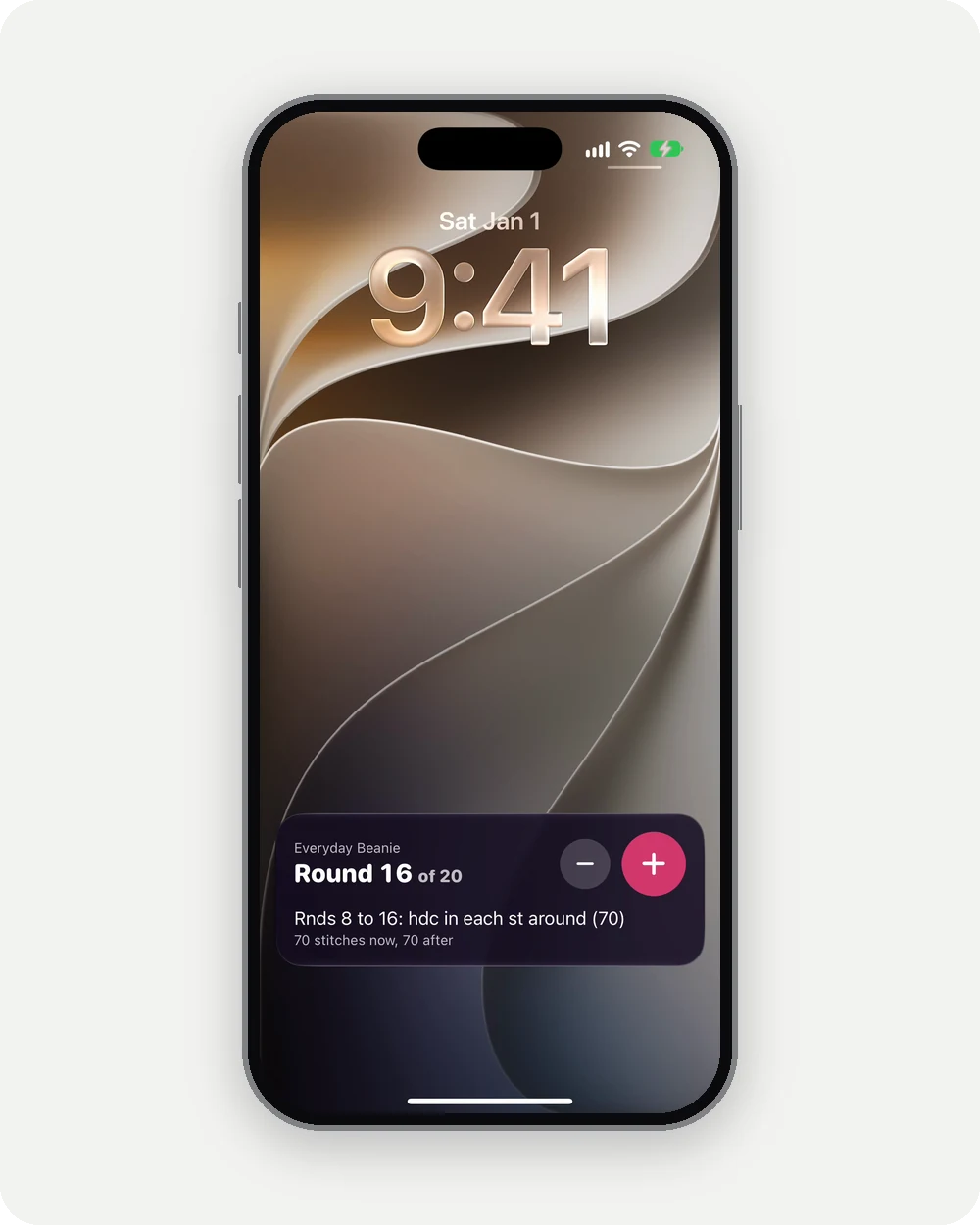
Rowpin is on the App Store for iPhone and iPad. It needs Rowpin Plus, a subscription with a 7-day free trial.

Rowpin is not in the EU yet. Join the list to hear when it is. There is also a free row and stitch counter that works in your browser today.
Thank you for reading. Tschüss 🤓